

File Prep Guide
Our standards to help you set up your file for success
File Standards
These file standards assist O’Neil to produce a quality product on time. O’Neil believes that effective communication is critical to successful manufacturing. Thank you for your consideration and we look forward to working with you.
PDF Standard
The recommended file format for all job submissions is PDF. O’Neil supports and recommends using an accredited PDF standard specifically intended for press.
Document Size
Files should be created to the actual trim size. Oversized documents are not easily imposed. PDF documents must be submitted in single page setup, as opposed to spreads. The pages within the pdf file must not vary in size. The page size must be consistent. The work should be centered vertically and horizontally on the pdf file.
Image Resolution
The images should be high resolution. Images should be at a 300 DPI with a minimum of 200 DPI at 100% placement size. Scaling images in a page layout program alters the resolution. It is best to keep resizing and or scaling to a minimum in a layout program.
Bleeds
Any page elements designed to print off the page, or bleed, must extend past the trim 1/8“ or 0.125”.
Fonts
Missing or corrupt fonts are by far the most common reason for production workflow interruptions. All fonts used in a PDF file must be embedded. If a font can’t be embedded due to licensing restrictions, we will need to be informed in advance so the font can be purchased or resolved.
**Please note that all Adobe products will not support Type 1 fonts starting January 2023
Color
CMYK, Grayscale and Spot colors are acceptable. Avoid using white boxes to cover up unwanted elements as they will still be processed. O’Neil Printing does not supply ICC profiles for color management. InDesign Files Please ensure that all InDesign files include fonts, links, and a pdf within the exported package.
InDesign PDF Export Setting
O’Neil Printing has provided screen shots and the ability to download our Export Profile to use the appropriate settings to convert the InDesign Files to PDF.
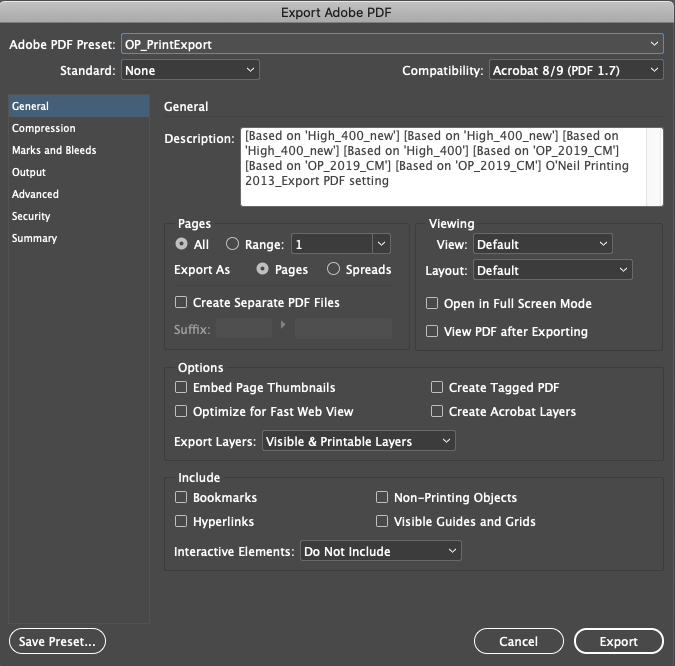
Step 1: Update general settings
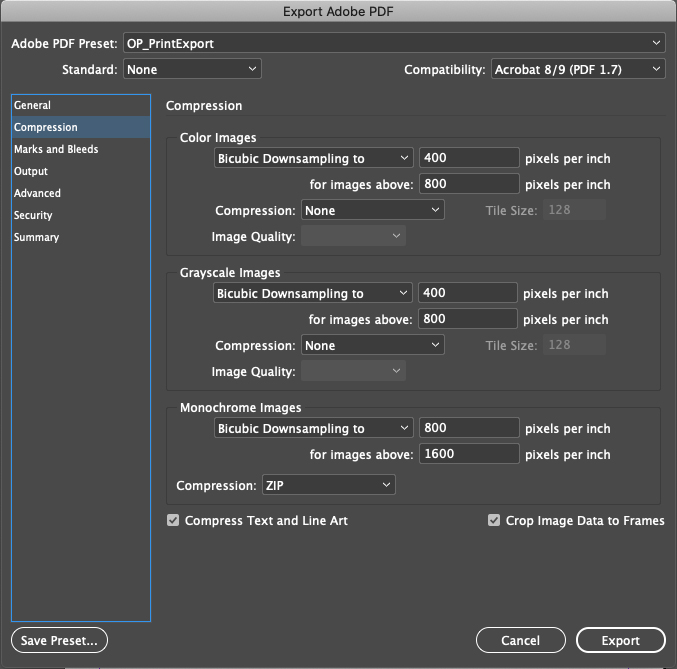
Step 2: Update file compression settings
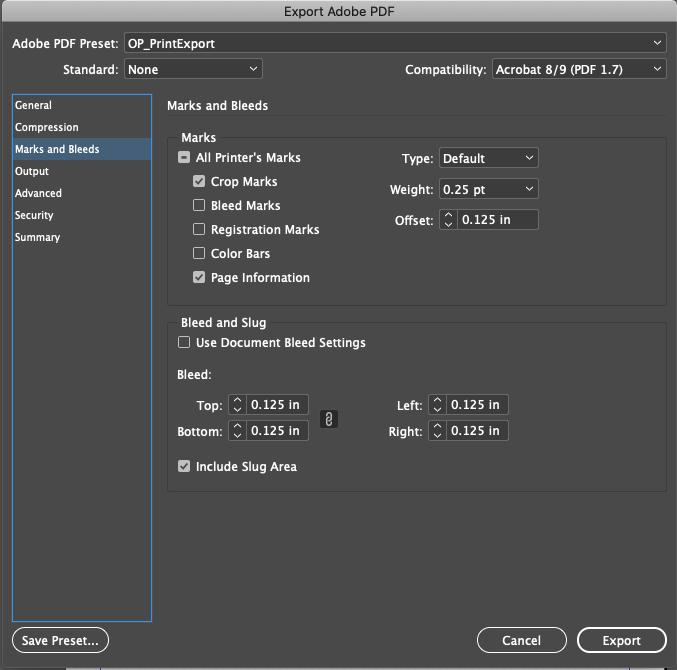
Step 3: Adjust the marks and bleed settings
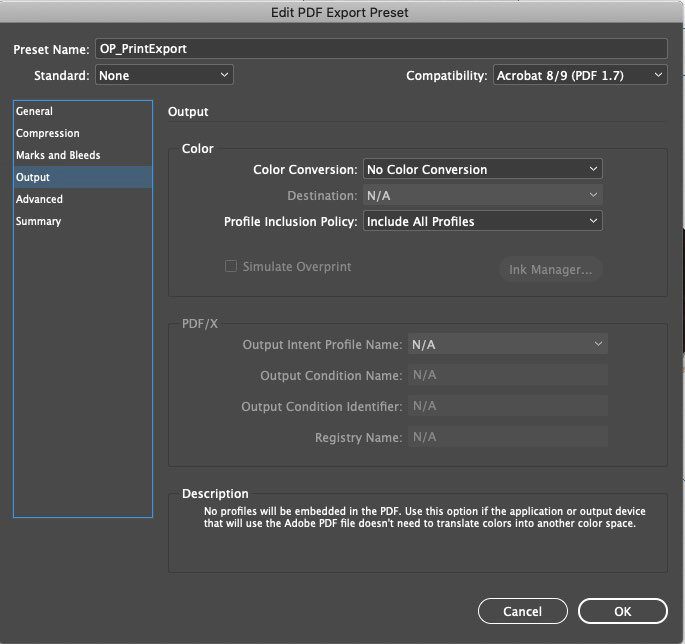
Step 4: Update color conversion settings
Still have questions?
Our production team is here to help.